Markhub

CLIENT

FEEELD product · MARKHUB, Inc.

SERVICES
  • Messenger (web, desktop, mobile)
  • AI agents
  • Meeting notes and to-do generation
  • Third-party integrations
  • Public API
THE BIG QUESTION

Decisions are made in conversation. Are you still typing them into a tracker by hand?

THE OBJECTIVE

An AI messenger where conversation and decisions become work tickets in real time

The decisions that matter are made in messengers and meetings. But rewriting the conversation, creating the tasks and assigning owners adds overhead and loses things along the way.

Markhub removes the wall between conversation and execution. When a call or meeting ends, AI produces the summary, the timeline and the tickets per owner. Give an instruction in plain language and the agent opens a browser, works inside your other tools and gets it done.

You can place role-specific agents for inventory, purchase orders or daily summaries. At the points that matter, payment or final execution, it is designed to stop and ask a person first.

VISIT WEBSITE ↗
BEFORE

After every meeting someone replayed the conversation, wrote up the tasks and opened the tickets by hand.

AFTER

An AI agent reads the context of the conversation, opens the work tickets immediately and carries the work forward. Anything that matters waits for a human approval.

IN USE

Real screens, one per use case.

01Meetings and purchase orders

Tickets created from the conversation, without writing minutes

AI analyzes the context of conversations and meetings in real time and turns it into tickets with an owner and a due date. Scattered purchase orders and meeting notes are consolidated into a single issue.

What you see in the clip
  • In-person meeting audio captured and transcribed live
  • Four separate purchase orders consolidated into one ticket
  • Status, owner, history and comments managed inside the ticket
  • Daily records rolled up weekly and laid out as a map
02Delegating real work

A precise execution agent that runs on your own machine

It works in the user’s local environment rather than depending on an external cloud. Send an instruction from your phone and the agent on your office computer opens the folder, does the work and reports back.

What you see in the clip
  • A to-do from a call becomes a work ticket
  • One comment assigns the ticket to your local agent
  • Changes and test results are reported back into the ticket
  • Priority for the day is produced with its sources
  • Work sent from outside is done by the machine at the office
03Quotes and invoicing

Cross-file analysis that corrects settlement and invoices automatically

AI cross-checks the numbers across the formats shared in chat, purchase orders and quotes. It surfaces mismatches and errors first, drafts the invoice, and requires a human approval before anything is spent.

What you see in the clip
  • A draft invoice built from files three people shared
  • Detects that 140 units cannot split evenly across three warehouses
  • Every open item becomes its own ticket
  • Opens the payment tool in the browser, fills line items and discount, and sends
  • Asks for human approval before real money moves

The payment tool is real footage in test mode. Company names are samples and no real money moved.

04Sales outbound

From target research to personalized outreach, automated

One line of instruction has the agent search for target companies, read their recent activity, write personalized outbound messages and send them, cutting manual research and outreach effort sharply.

What you see in the clip
  • The instruction was a single sentence
  • 100 companies matching the ICP selected automatically
  • Recent posts read and a personalized note written for each
  • Invitations sent from the in-app browser
  • Two replies and two meetings booked

Edited for pace. Names, photos and message contents are masked.

SCREENS

What each screen does and the job it carries. These are screens we use every day. Outside people and client details that came in by email are masked.

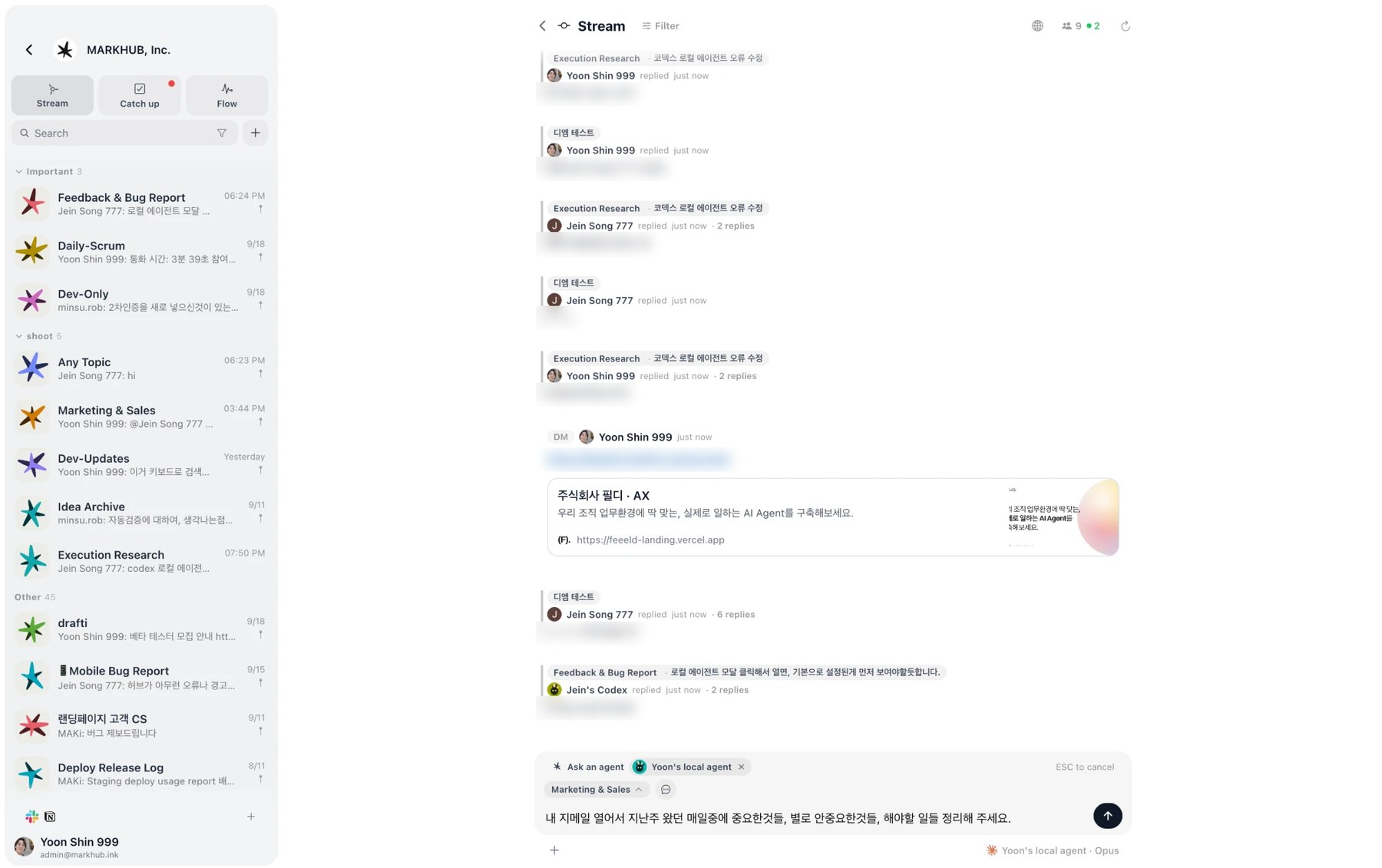
Markhub One stream across every hub 화면
01

One stream across every hub

New messages scattered across hubs are aggregated into a single timeline. You can call an agent where you are reading and pick the hub it should work in, so there is no context switching cost.

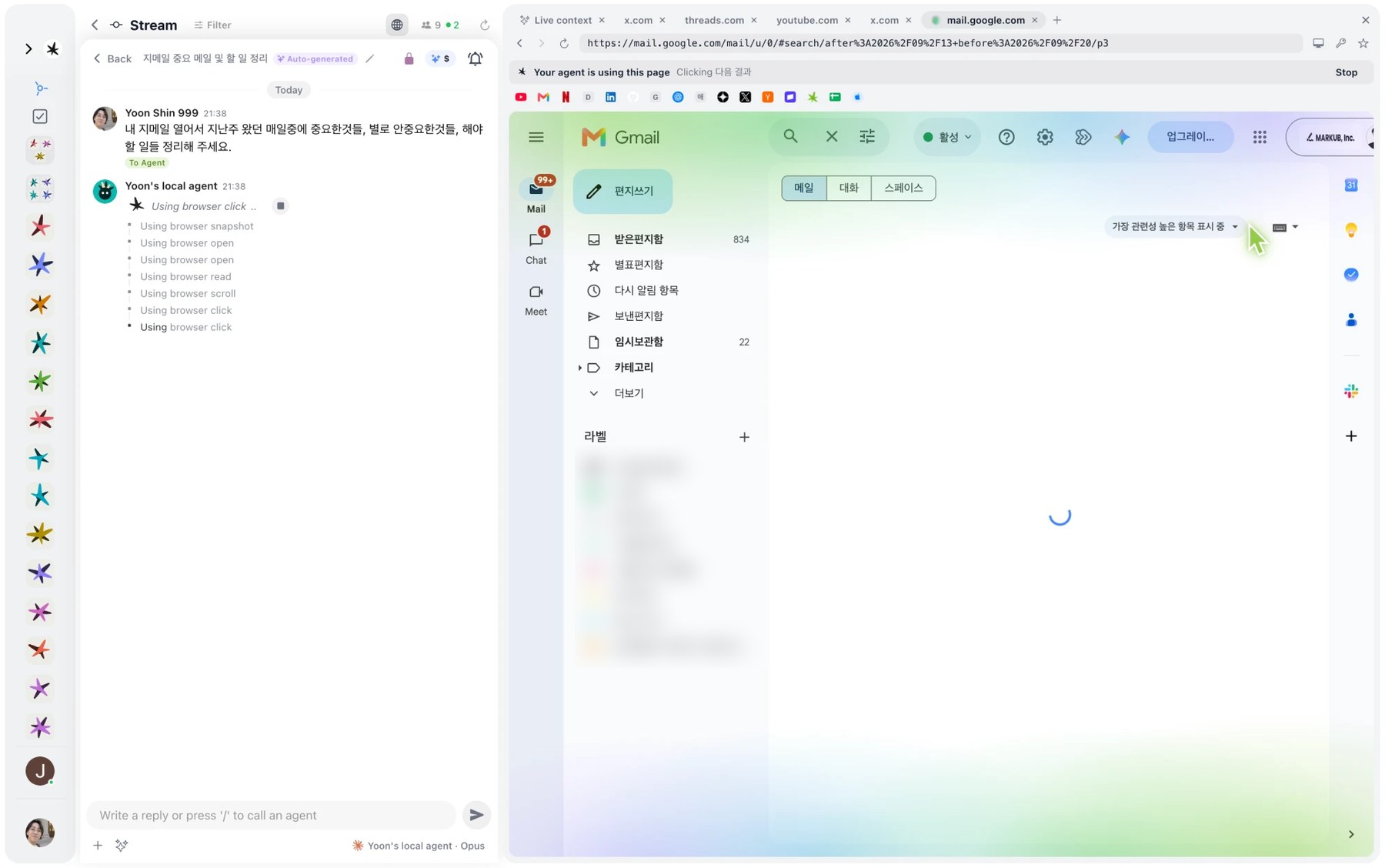
Markhub External tools driven through the in-app browser 화면
02

External tools driven through the in-app browser

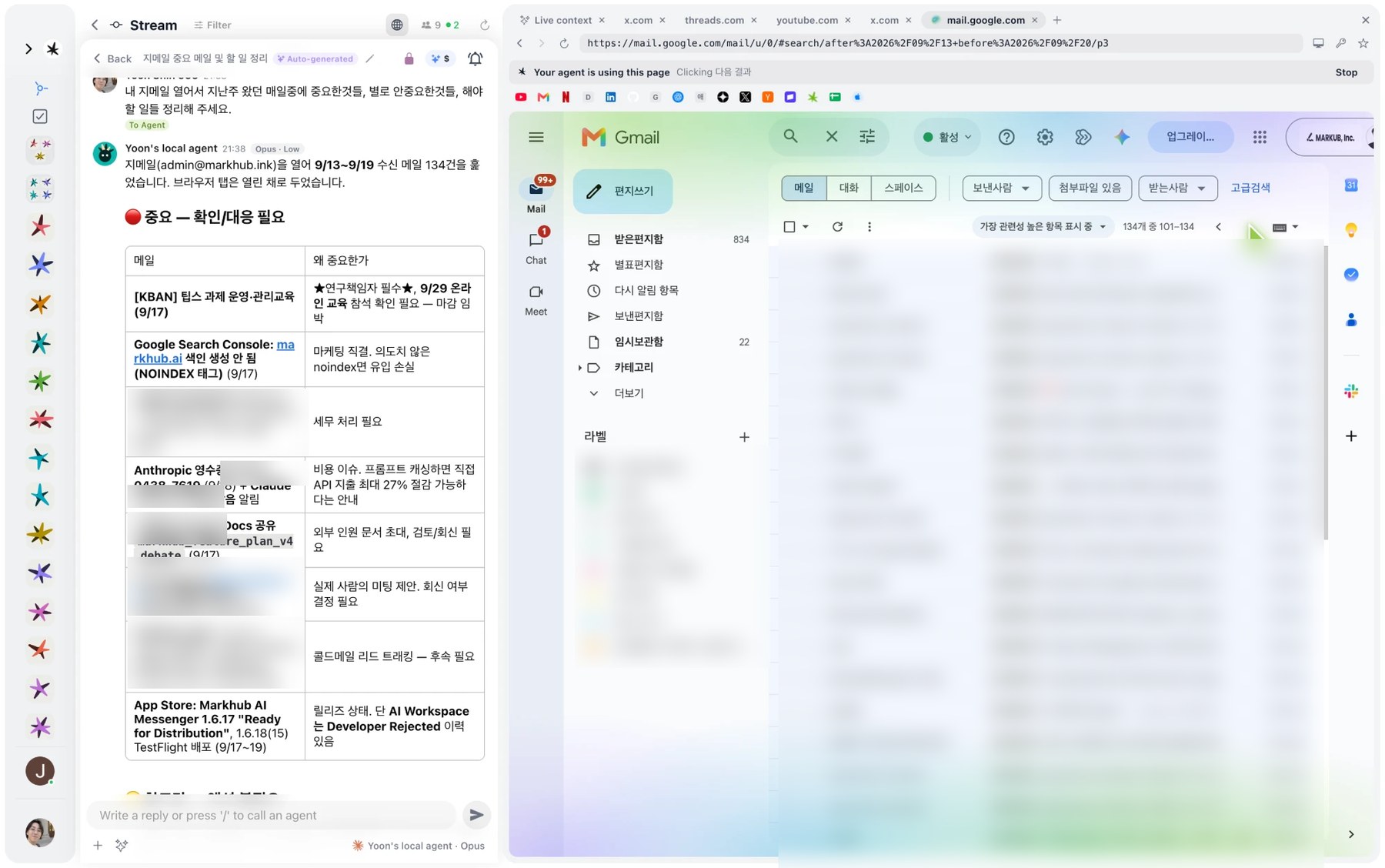
The agent opens Gmail and other web tools in the built-in browser and works there directly. No integration work to wait for, so any browser-based tool can be automated today, and what it is doing is shown live at the top.

Markhub Automatic triage and priority for incoming mail 화면
03

Automatic triage and priority for incoming mail

Give it a date range and it analyzes the whole inbox, extracting what needs a response into a table. Each row carries the reason it matters, so the owner decides faster.

Markhub Analysis turned into action items 화면
04

Analysis turned into action items

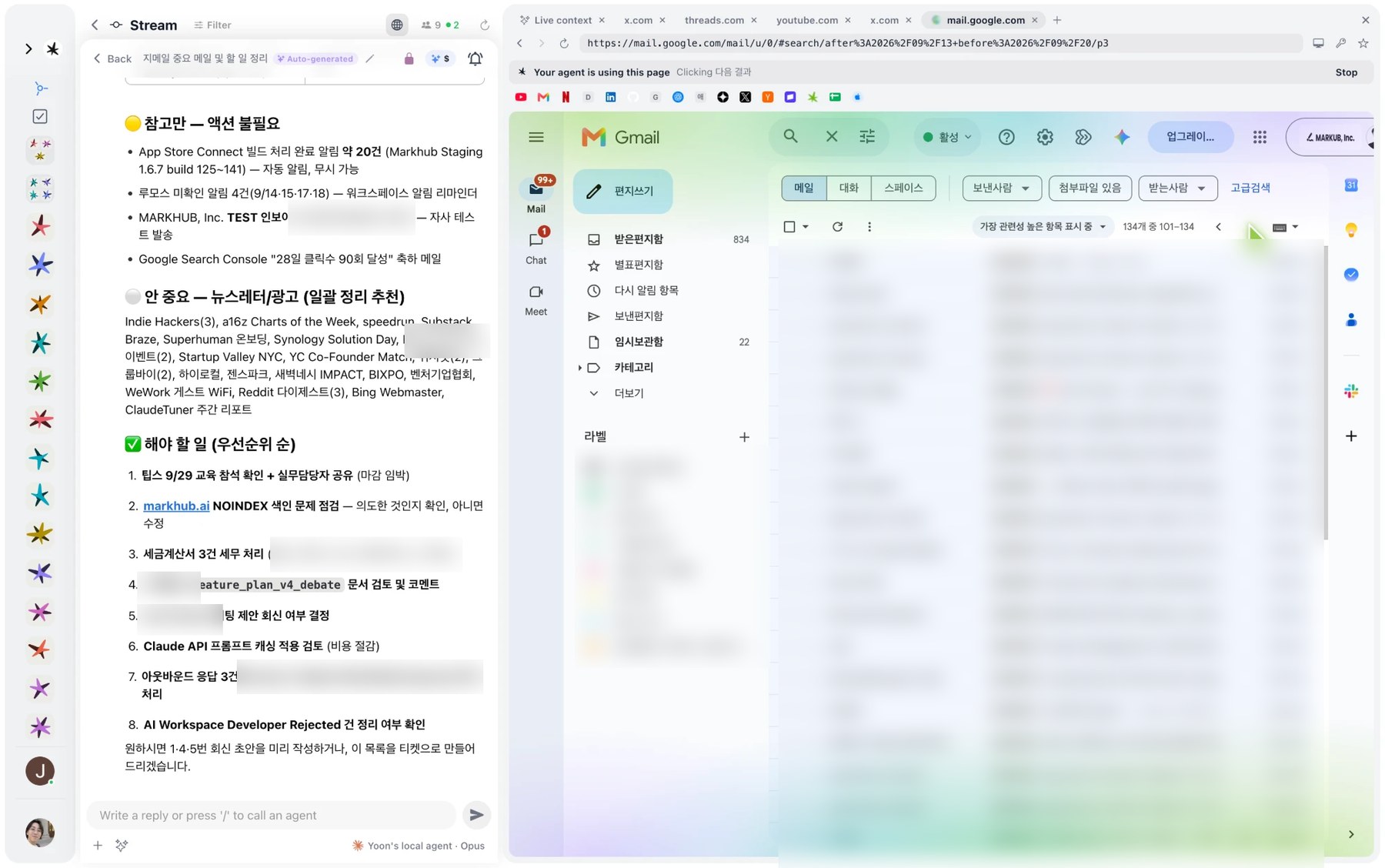
Reference, ignore and act are separated, then ordered. From that list a reply draft or a ticket follows with one more instruction.

Markhub Topics and decisions extracted live 화면
05

Topics and decisions extracted live

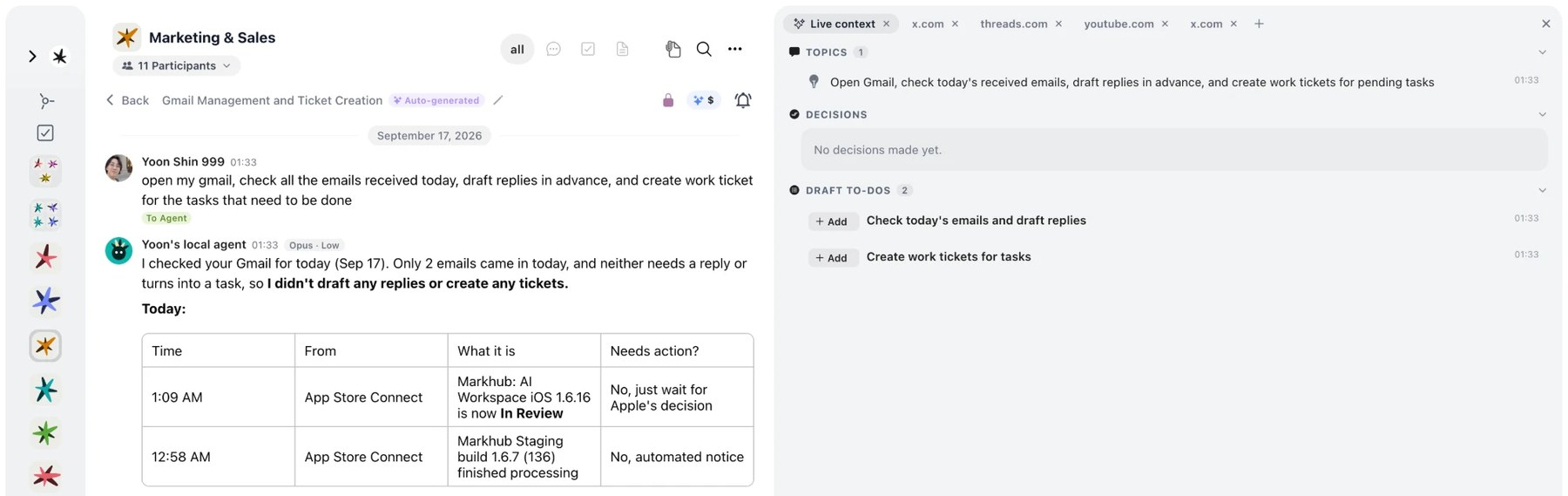
A side panel next to the thread carries the key topics, the decisions made and a draft to-do list produced by AI in real time. One click registers them as official work.

Markhub Minutes and speech timeline, finished when the meeting ends 화면
06

Minutes and speech timeline, finished when the meeting ends

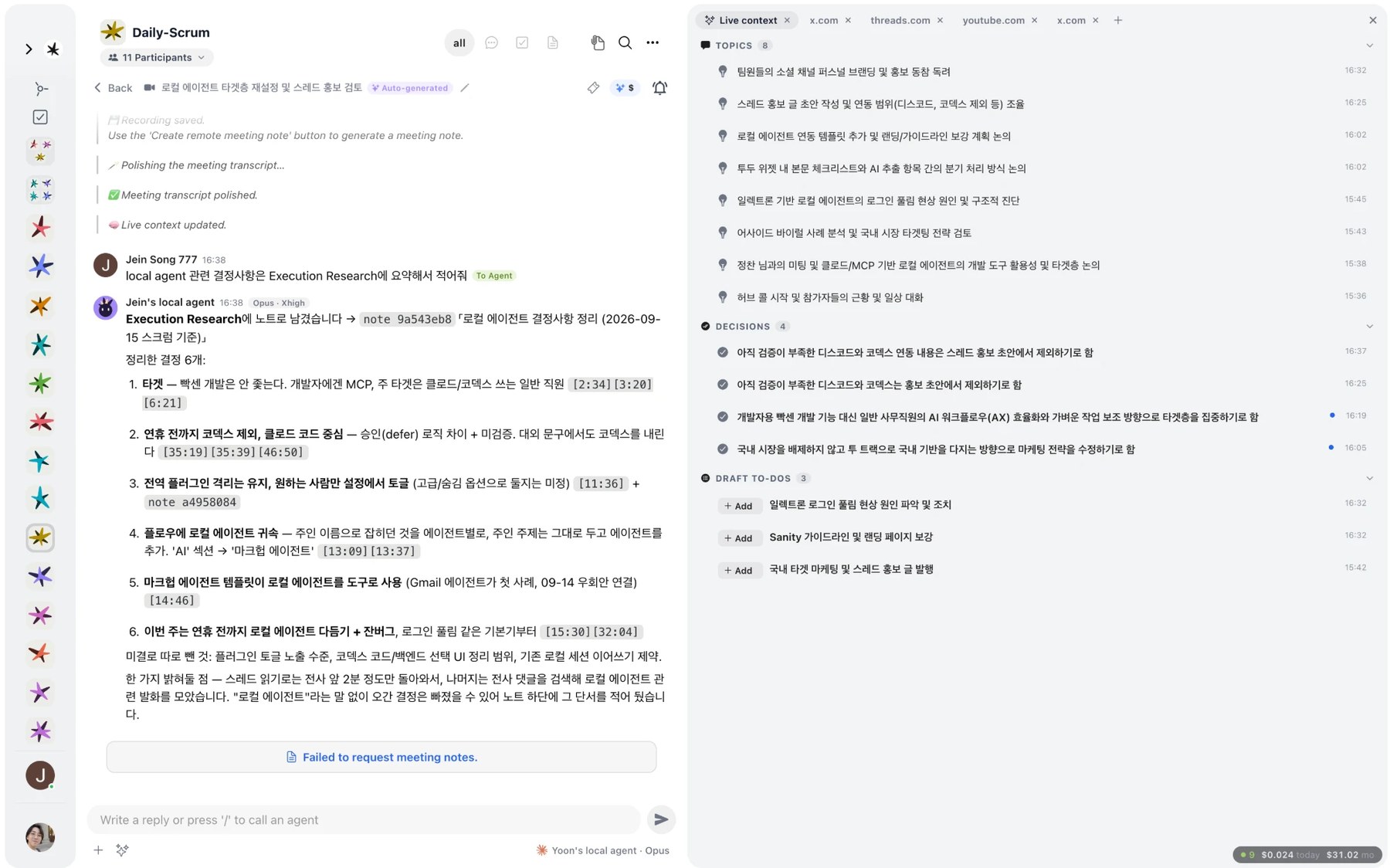
In-person meetings and calls are captured live and summarized automatically. Each decision is mapped to the timestamp where it was said, so context is easy to trace, and notes and documents follow from a plain-language instruction.

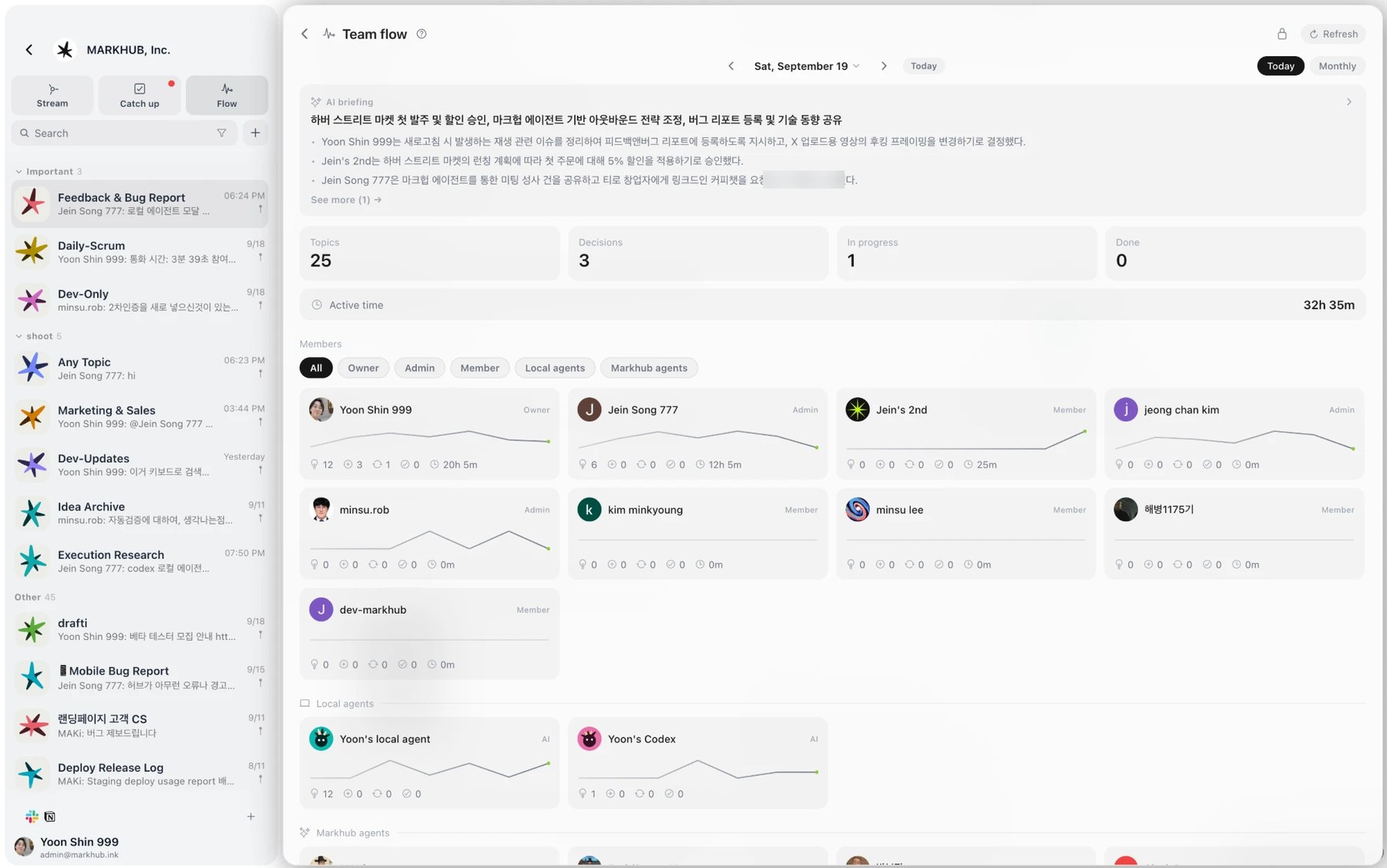
Markhub Live team activity, no weekly report needed 화면
07

Live team activity, no weekly report needed

Topics, decisions and work in progress handled by members and AI agents are aggregated live on one dashboard. Status per member is visible at a glance, removing reporting overhead.

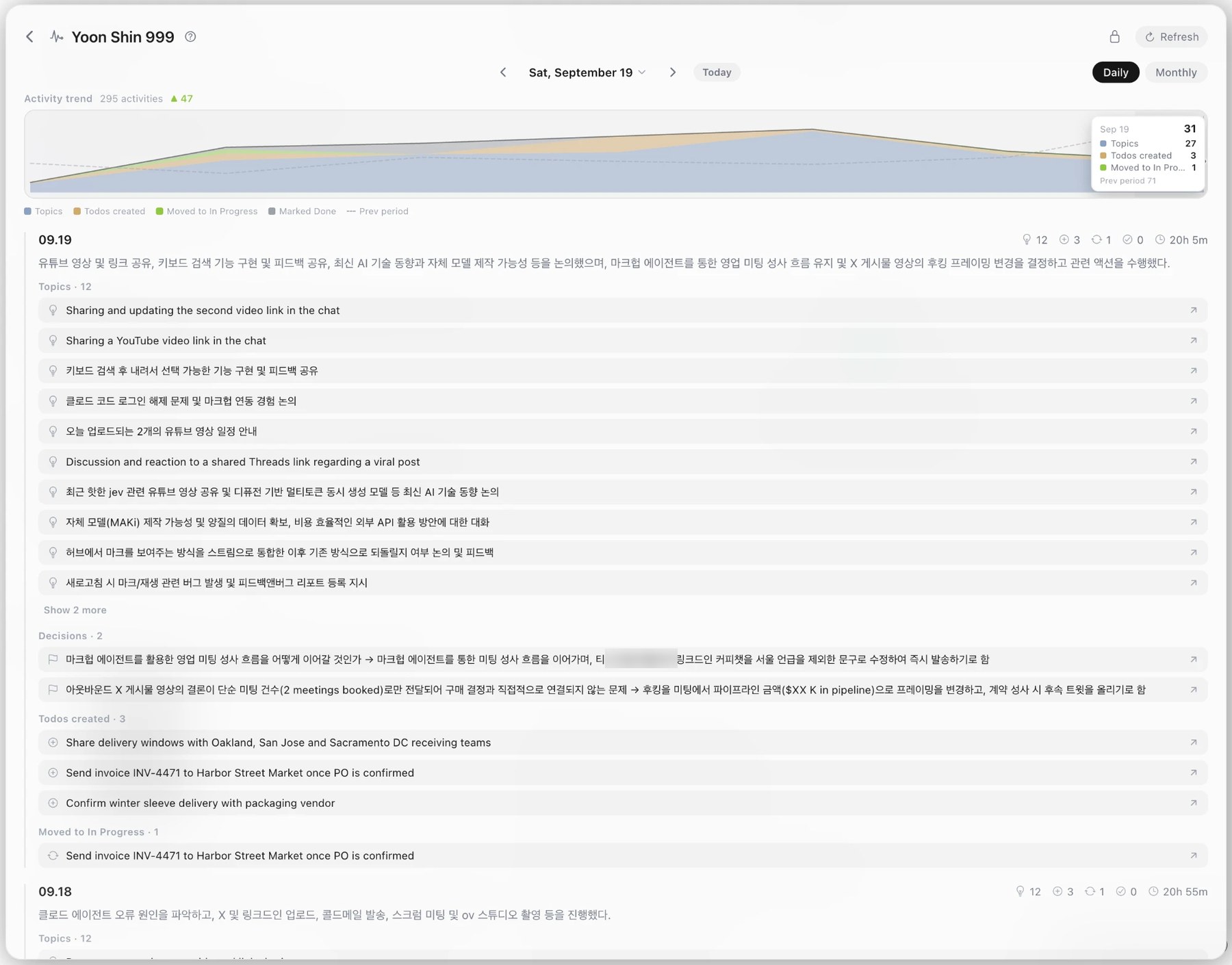
Markhub Daily history with a link back to the original thread 화면
08

Daily history with a link back to the original thread

Topics discussed, decisions made and to-dos created are stored as a time series by date. Each item jumps to the original conversation, so context is confirmed from data rather than memory.

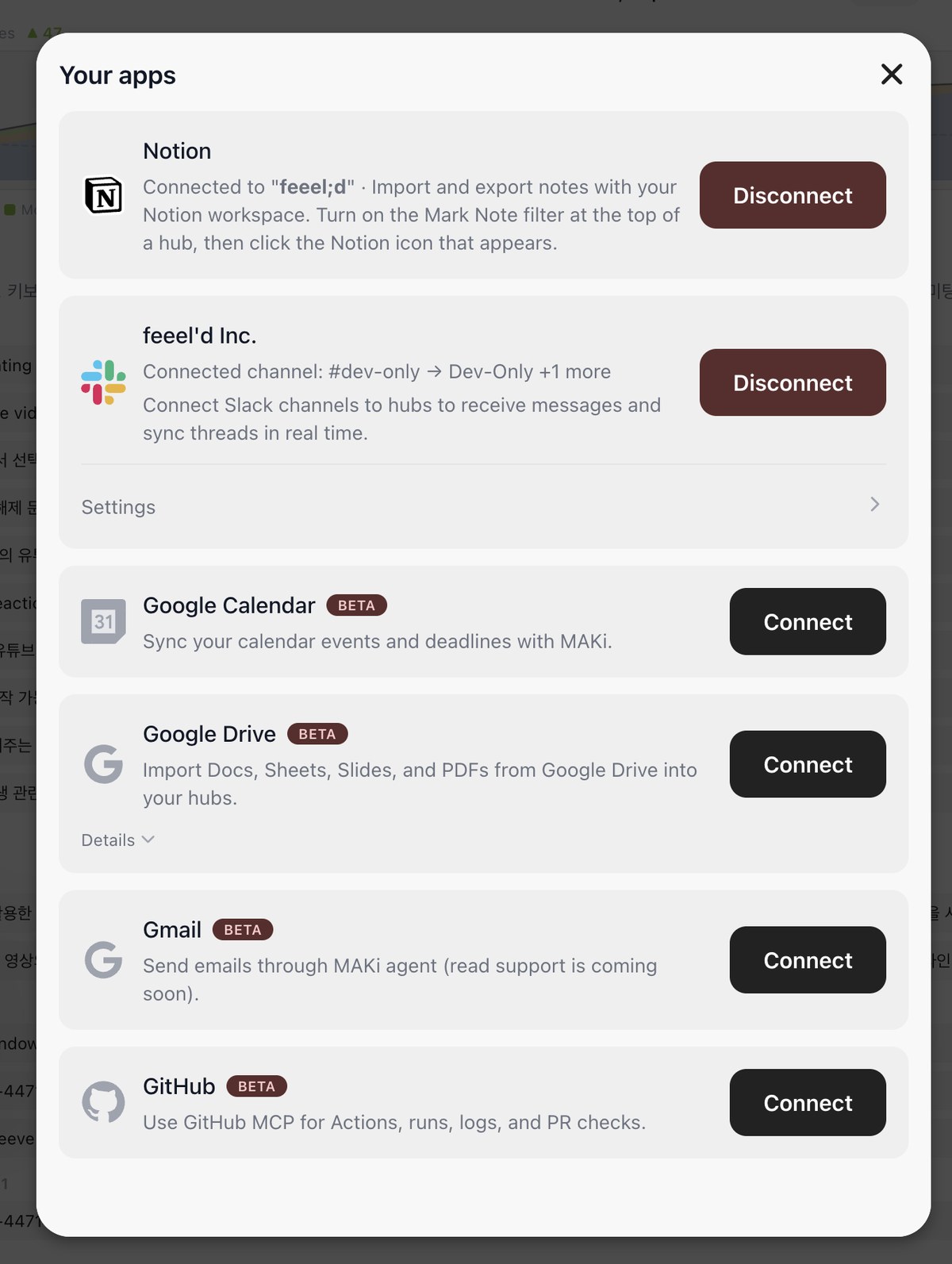
Markhub One-click integration with your SaaS stack (zero migration) 화면
09

One-click integration with your SaaS stack (zero migration)

Full API integration with Notion, Slack, Google Workspace, GitHub and more. Nothing in your stack has to be replaced. You add the AI agents to the environment you already run.

WHAT WE BUILT
  • Multi-platform: web, desktop and mobile
  • In-app browser agent: an AI agent that operates external web tools inside the conversation
  • Live speech and conversation processing: transcription, summary and automatic to-do generation
  • Team pipeline view: topics, decisions and progress per member and per agent, aggregated live
  • Enterprise ready: major B2B SaaS integrations and an open API for developers
← All work